
New: Set a Maximum Number of Uses Per Order on BOGO Offers
You can now set a maximum number of uses per order on Quikly BOGO offers. The discount will apply to at most that many qualifying sets of items in a single order — so a “buy one, get one” stays a true one-for-one, even when a shopper loads up their cart.
This is live today.
How to set up a BOGO on Quikly
Section titled “How to set up a BOGO on Quikly”Setting up a buy-one-get-one offer takes a few steps in the offer builder:
- Set up your discount — choose a percentage or dollar amount off.
- Choose what it applies to — point the discount at specific products or collections. This is the “get one” part of BOGO.
- Click “Require specific product(s) in cart” — this unlocks the conditions that trigger the offer.
- Define the trigger conditions — set the minimum quantity (or purchase amount) and which products or collections qualify. This is the “buy one” part. In the example below, the BOGO is set up for items in a full-priced collection.
- Optionally, check “Set a maximum number of uses per order” — this is the new feature. Enter how many qualifying sets the discount can apply to in one order.
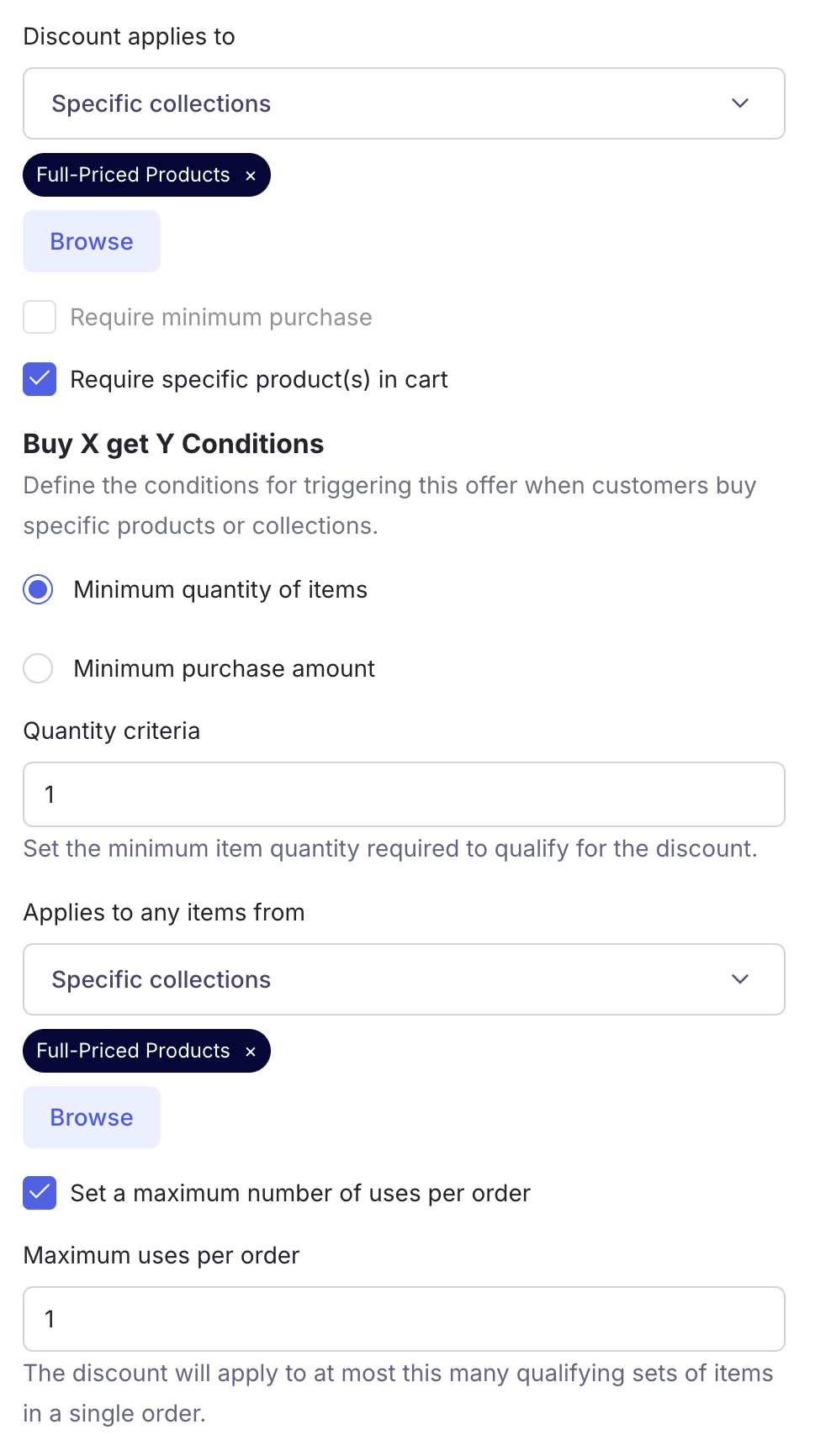
Why the cap matters
Section titled “Why the cap matters”Without a cap, a BOGO applies to every qualifying set in the cart. If a shopper adds eight qualifying items, they’d get four discounted — which isn’t always what you intended.
With Maximum uses per order set to 1, the discount applies to just one set: buy one, get one, full stop. Set it to 2 and a shopper can earn the deal twice, and so on. It’s a simple way to keep promotional margin predictable while still running an enticing offer.
This is available now in the offer builder. If you have questions about structuring BOGO offers, reach out to your account team.