
Klaviyo
Quikly integrates with Klaviyo to sync email subscribers captured through your Quikly campaigns directly into the Klaviyo list of your choice. Connecting via OAuth is the preferred method — it requires no API keys, no scope configuration, and stays in sync automatically.
Connecting Klaviyo
Section titled “Connecting Klaviyo”- From your brand dashboard, click Settings.
- Open the Integrations tab.
- Under Available Integrations, find Klaviyo and click Connect.
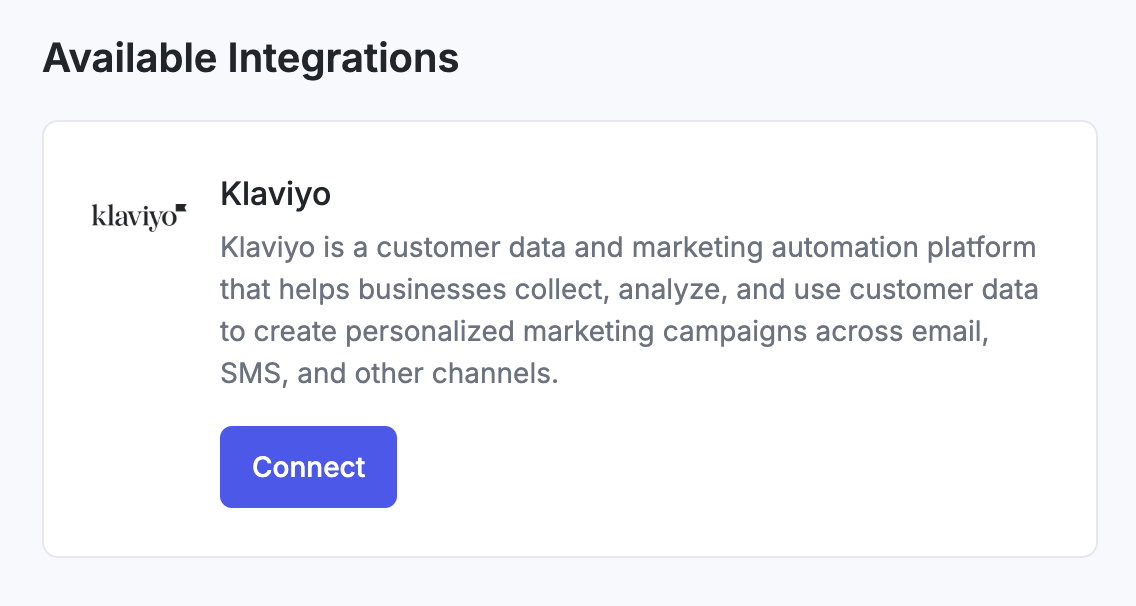
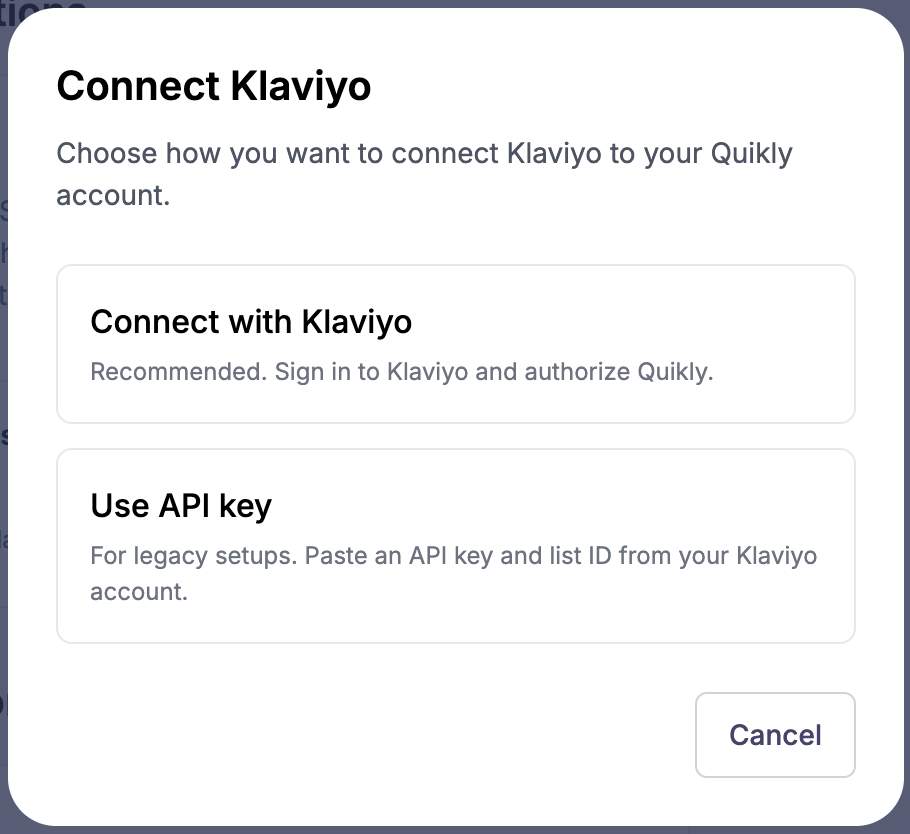
- In the modal that appears, select Connect with Klaviyo.
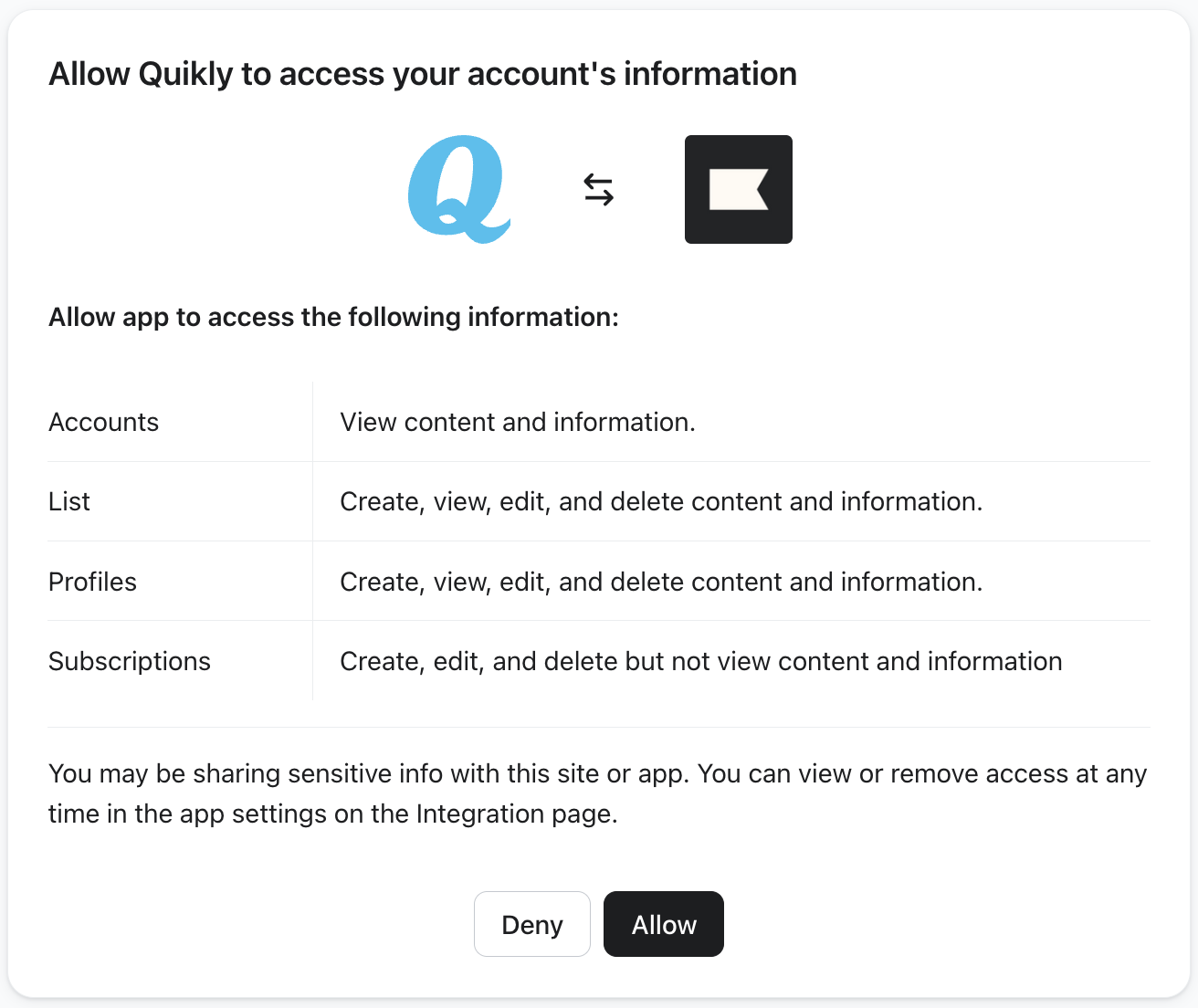
- You’ll be redirected to Klaviyo. Confirm you’re signed in to the correct Klaviyo account, then click Allow to grant Quikly access.
- After granting access, you’ll be returned to Quikly and prompted to choose the list that new email contacts should be added to. Select your list and click Save.
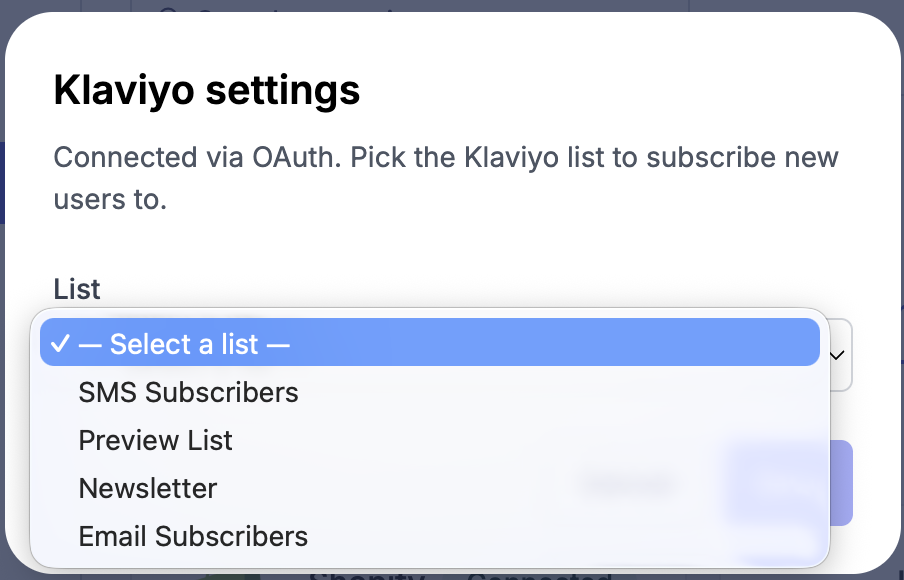
That’s it — new signups captured by your Quikly campaigns will flow into the selected Klaviyo list.
Recommended: Enable Single Opt-In
Section titled “Recommended: Enable Single Opt-In”We recommend configuring your Klaviyo list for single opt-in so subscribers are added immediately without needing to confirm via a follow-up email.
- In Klaviyo, go to Lists & Segments and open the list connected to Quikly.
- Click Settings, then Opt-in Process.
- Set the list to Single opt-in.
For more details, see Klaviyo’s guide to the opt-in process.
Synced Properties
Section titled “Synced Properties”When a subscriber is captured by a Quikly campaign and synced to Klaviyo, the following custom properties are written to their Klaviyo profile:
quikly_source— always set toquikly, useful for identifying Quikly-sourced contactsquikly_campaign_id— the ID of the Quikly campaign that captured the signupquikly_campaign_name— the name of the Quikly campaign that captured the signup
The subscription itself is tagged with a source of Quikly in Klaviyo, which you can use to build segments or trigger welcome flows specific to Quikly signups.
Switching Lists or Disconnecting
Section titled “Switching Lists or Disconnecting”To change which list contacts are synced to, return to Settings → Integrations and reconfigure the Klaviyo integration. You can disconnect at any time from the same screen, or by revoking Quikly’s access from within your Klaviyo account settings.
Looking for the legacy API key setup?
Section titled “Looking for the legacy API key setup?”If you previously connected Klaviyo using a private API key, see Klaviyo (Legacy API Key). We recommend migrating to the OAuth flow above.