
Country, Market, Language & Currency Targeting
Quikly can show or hide a campaign based on where a visitor is located and how they’re browsing your storefront. For example, to make a campaign appear only to people in the United States, enable Based on visitor’s location and add the United States to Show only in these countries.
Configuring the filters
Section titled “Configuring the filters”-
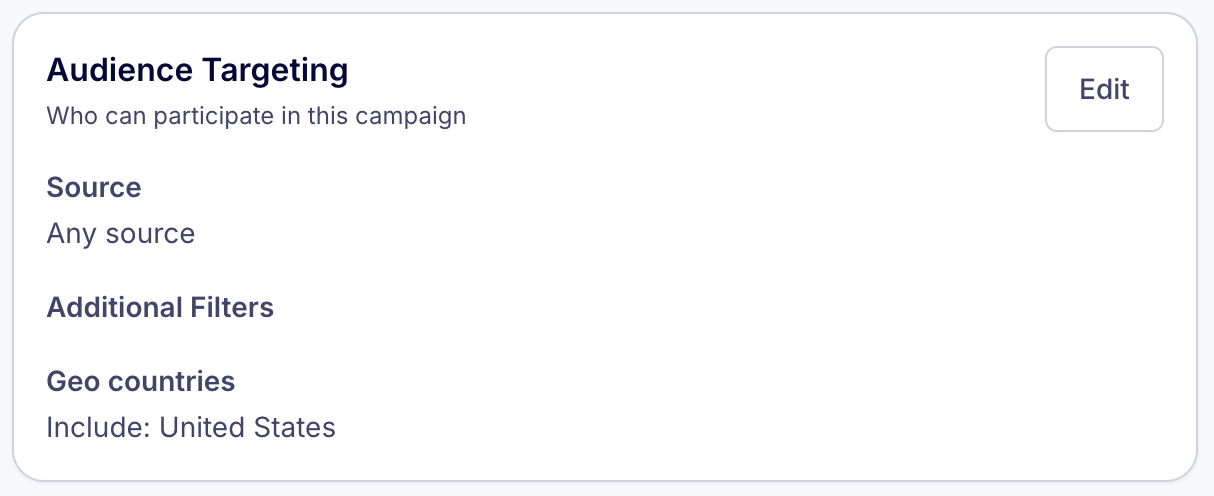
From the Campaign Overview page, click Edit next to Audience Targeting.
-
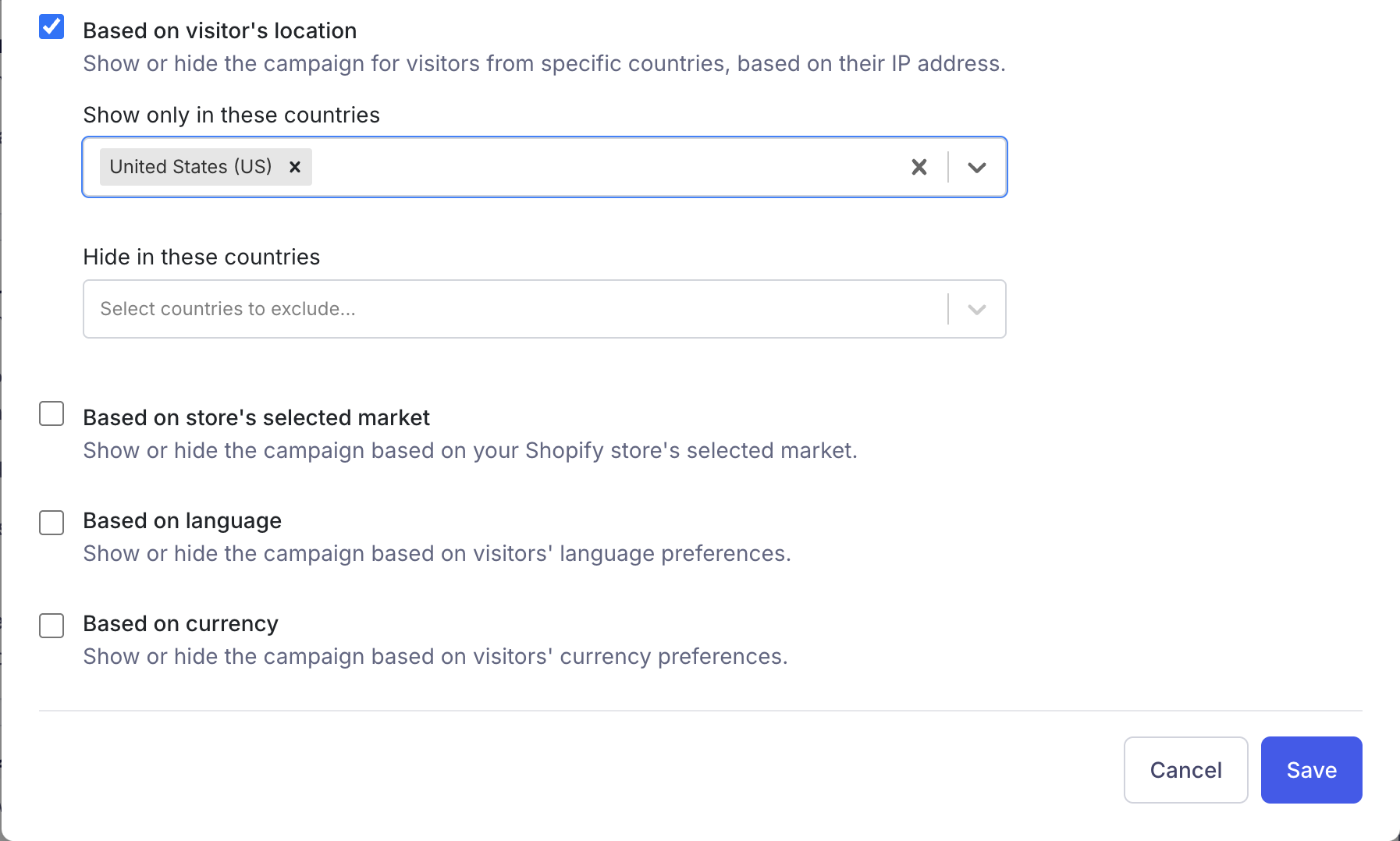
In the modal that appears, find the Additional Filters section and check the box for the filter you want to use:
- Based on visitor’s location — Show or hide the campaign for visitors from specific countries, based on their IP address.
- Based on store’s selected market — Show or hide the campaign based on your Shopify store’s selected market.
- Based on language — Show or hide the campaign based on visitors’ language preferences.
- Based on currency — Show or hide the campaign based on visitors’ currency preferences.
-
Once a filter is enabled, two fields appear. Add values to either or both:
- Show only in/for these… — The campaign appears only when the visitor matches one of these values (an allow list).
- Hide in/for these… — The campaign is hidden when the visitor matches any of these values (a block list).
-
Click Save.
When you save, the enabled filters appear back on the Campaign Overview under Additional Filters (e.g. “Geo countries — Include: United States”).
The four filters
Section titled “The four filters”There are four independent filters. Each is optional, and you can combine them — for example, show a campaign only to visitors physically located in Canada and browsing in French.
| Filter | What it’s based on | Source |
|---|---|---|
| Based on visitor’s location | The visitor’s country, derived from their IP address | Quikly geolocation (server-side) |
| Based on store’s selected market | The Shopify market the visitor is browsing in | Shopify Markets |
| Based on language | The visitor’s selected storefront language | Shopify Markets / translated storefront |
| Based on currency | The store’s currency for the visitor | Shopify |
How Quikly gets these values
Section titled “How Quikly gets these values”Quikly reads three of these values directly from your Shopify storefront through the Quikly theme app embed:
localization: { country_code: {{ localization.country.iso_code | json }}, // store's selected market language_code: {{ localization.language.iso_code | json }}, // language currency_code: {{ shop.currency | json }} // currency}- Store’s selected market, language, and currency come from Shopify’s
localizationobject — i.e. whatever market, language, and currency the visitor has selected (or been assigned) in your storefront. These reflect the visitor’s storefront selection, which Shopify drives from their location, browser settings, and any selectors you’ve added. - Visitor’s location is different: it is resolved by Quikly from the visitor’s IP address, independent of Shopify. Use this when you care about where the visitor physically is, regardless of which market or currency they happen to be browsing in.
How include and exclude interact
Section titled “How include and exclude interact”For each filter:
- Exclude takes precedence. If a visitor matches a “Hide in/for these…” value, the campaign is hidden — even if they also match an included value.
- If you set only an include list, the campaign shows only to matching visitors and is hidden for everyone else.
- If you set only an exclude list, the campaign shows to everyone except the excluded visitors.
- Leaving both fields empty disables that filter entirely.
When multiple filters are enabled, a visitor must pass all of them for the campaign to appear.
Requirements & notes
Section titled “Requirements & notes”- Market, language, and currency filters depend on Shopify. The values are only meaningful if your store uses Shopify Markets (for markets and currency) and/or offers multiple storefront languages. If your store sells in a single market, language, and currency, those three filters won’t meaningfully segment your traffic — use Based on visitor’s location instead.
- Visitor’s location works on any store because it relies on IP geolocation rather than Shopify configuration.
- Countries are selected by name; the value stored is the ISO country code (e.g.
US). Languages and currencies use their ISO codes as well (e.g.EN,USD). - In the campaign editor/preview, these filters are bypassed so you can always see your campaign while building it.
Related Tutorials
Section titled “Related Tutorials”- Campaign Visibility Controls — URL rules, visitor limits, visibility percentage, and component-level filters
- Show or Hide Components on Specific Products