
Shopify App Performance
App bloat is a real concern on Shopify, and “what does this do to my site speed?” is one of the first questions we hear during evaluation. Here’s exactly how Quikly stays out of your storefront’s way — followed by the Lighthouse measurements that back it up.
The short version
Section titled “The short version”- Our bootstrap script can’t block your page. The Quikly app block adds one small script that loads asynchronously — the same approach used by Google Analytics and the Meta Pixel — so it never sits in your page’s critical rendering path.
- No active campaign? Effectively nothing loads. When you don’t have a campaign running, our server returns an empty response and no campaign code, UI, or stylesheet is downloaded or run.
- A live campaign loads off the critical path and stays isolated. When a campaign is live, the widget loads asynchronously after your storefront is already interactive and renders into its own container — it never re-renders or reflows your theme.
When no campaign is running
Section titled “When no campaign is running”This is the reassuring baseline, and it’s enforced on our servers — not just in the browser.
The app block adds a single small bootstrap script. Its only job is to ask Quikly whether anything should run on this page. When no campaign is live for your store, the answer is “no,” and our server returns an empty JavaScript body. There’s no popup code, no campaign UI bundle, and no campaign stylesheet — nothing beyond that tiny bootstrap is ever downloaded or executed.
In other words, the campaign UI is loaded lazily, and only when a campaign is actually live and targeting a given shopper. Most of the time, that’s the state your storefront is in.
When a campaign is live
Section titled “When a campaign is live”Even with a campaign running, Quikly is engineered to load after your page — never before it.
The bootstrap script is non-blocking. It’s injected at runtime and explicitly marked async, so the browser fetches and runs it independently of parsing your HTML:
s = d.createElement("script");s.id = "quikly-embed-js";s.src = "https://pixel.quikly.com/embed/js";s.async = true; // ← non-blocking, like GA or the Meta Pixelf.parentNode.insertBefore(s, f);It’s also de-duplicated, so it’s requested at most once per page even if the block renders more than once.
The widget runs after your page paints. When a campaign is live, the UI bundle is requested via another dynamically-injected (and therefore async) script, so it executes after your storefront markup has been parsed and painted. It loads alongside and after your page — never in front of it. That means no effect on your store’s first paint, DOMContentLoaded, or time-to-interactive.
It renders into its own isolated container. Quikly creates a brand-new <div id="quikly-embed">, appends it to the page, and mounts its interface into that div only. The only change to your theme’s DOM is one appended sibling node — Quikly never re-renders, reflows, or invalidates your existing markup.
Its styles can’t leak into your theme. Quikly’s CSS reset is namespaced to its own q_-prefixed classes, so it can’t restyle your elements. The campaign stylesheet is injected via JavaScript after your page has already rendered, so it isn’t render-blocking for your storefront — it only gates the paint of Quikly’s own widget.
What this means for your Core Web Vitals
Section titled “What this means for your Core Web Vitals”Because nothing Quikly loads is render-blocking, it stays out of the metrics that matter most for your storefront:
- Largest Contentful Paint (LCP): Quikly’s scripts and styles load off the critical path, so they don’t delay your store’s main content from painting.
- Interaction to Next Paint / responsiveness: the widget’s work happens after your page is interactive, so it doesn’t push back time-to-interactive.
- First paint and
DOMContentLoaded: unaffected, since every Quikly script is async or dynamically injected.
The Quikly widget appears as a follow-on paint into its own layer, after your store is already usable.
A note on layout shift (CLS)
Section titled “A note on layout shift (CLS)”The widget can render in several different placements, and its layout impact depends on which you choose:
- Overlay placements — a popover, or a fixed bar pinned to the top of the viewport — layer over your page without moving your existing content, so they don’t shift your storefront’s layout.
- Inline placements — injecting the widget into the flow of the page, or having it take over an existing theme banner — occupy space in your layout by design. Because the widget paints after your page loads, an inline placement can produce a small layout shift as it appears.
Either way, the placement is something you configure intentionally, so any space the widget takes is a deliberate part of your page rather than an unexpected jump. If layout stability is a priority for a given page, an overlay placement avoids movement entirely.
The one honest caveat
Section titled “The one honest caveat”We won’t claim a live campaign is completely free. When a campaign is running, there’s a small, deferred cost: an extra UI bundle download, the widget’s stylesheet, a client init, and one data round-trip before the widget appears. Like any third-party widget, that competes for bandwidth and CPU.
The important part is when it happens: all of it occurs after your storefront is interactive, and none of it sits in front of your page render or delays first paint, DOMContentLoaded, or interactivity. In short — there’s a lightweight cost only when there’s actually something to show a shopper, and even then it’s engineered to stay off the critical path.
How to verify it yourself
Section titled “How to verify it yourself”Open your browser’s DevTools, go to the Network tab, and load a storefront page:
- With no live campaign: you’ll see the small
embed/jsbootstrap request resolve to an empty response — no campaign UI bundle or stylesheet follows. - With a live campaign: you’ll see the additional UI bundle and stylesheet load after the page’s own requests, as async, post-load fetches rather than render-blocking resources.
Our Lighthouse measurements
Section titled “Our Lighthouse measurements”The rest of this page documents Quikly’s analysis of the performance impact of the Quikly Shopify app on a Shopify store.
Requirements
Section titled “Requirements”- To be published in the Shopify App Store, your app must not reduce storefront Lighthouse performance scores by more than 10 points.
- To qualify for Built for Shopify status, your app must not reduce Lighthouse performance scores by more than ten points, and must meet other applicable criteria
Testing methodology
Section titled “Testing methodology”Each page is analyzed as many times as needed for a performance number to repeat three times. Only when a performance is achieved three times is it taken into account, after which the counter for that number restarts. The first five numbers (including if duplicated) are taken into account, as a way to eliminate outliers in the final calculation. The extremes will be mentioned but not taken into account mathematically since they tend to be anomalies. Usually this results in around 50 lighthouse reports for each state.
Storefront App Extension Performance
Section titled “Storefront App Extension Performance”These are the lighthouse reports for the storefront page on mobile (as per the testing guide). Our app loads a banner and also an animated drawer here. Due to the nature of the drawer animation and the need to fetch graphics, it is within expectations that performance would be slightly reduced compared to the clean install of the shopify storefront.
Performance on a Clean Storefront (Starting Score)
Section titled “Performance on a Clean Storefront (Starting Score)”The average performance of a clean storefront hovered in the low eighties, peaked once at 91 and bottomed out at 59. Interesting, it would also very consistsently yield a score of 62 or 63 every third or fourth page load. Maybe a nuance with Shopify caching?
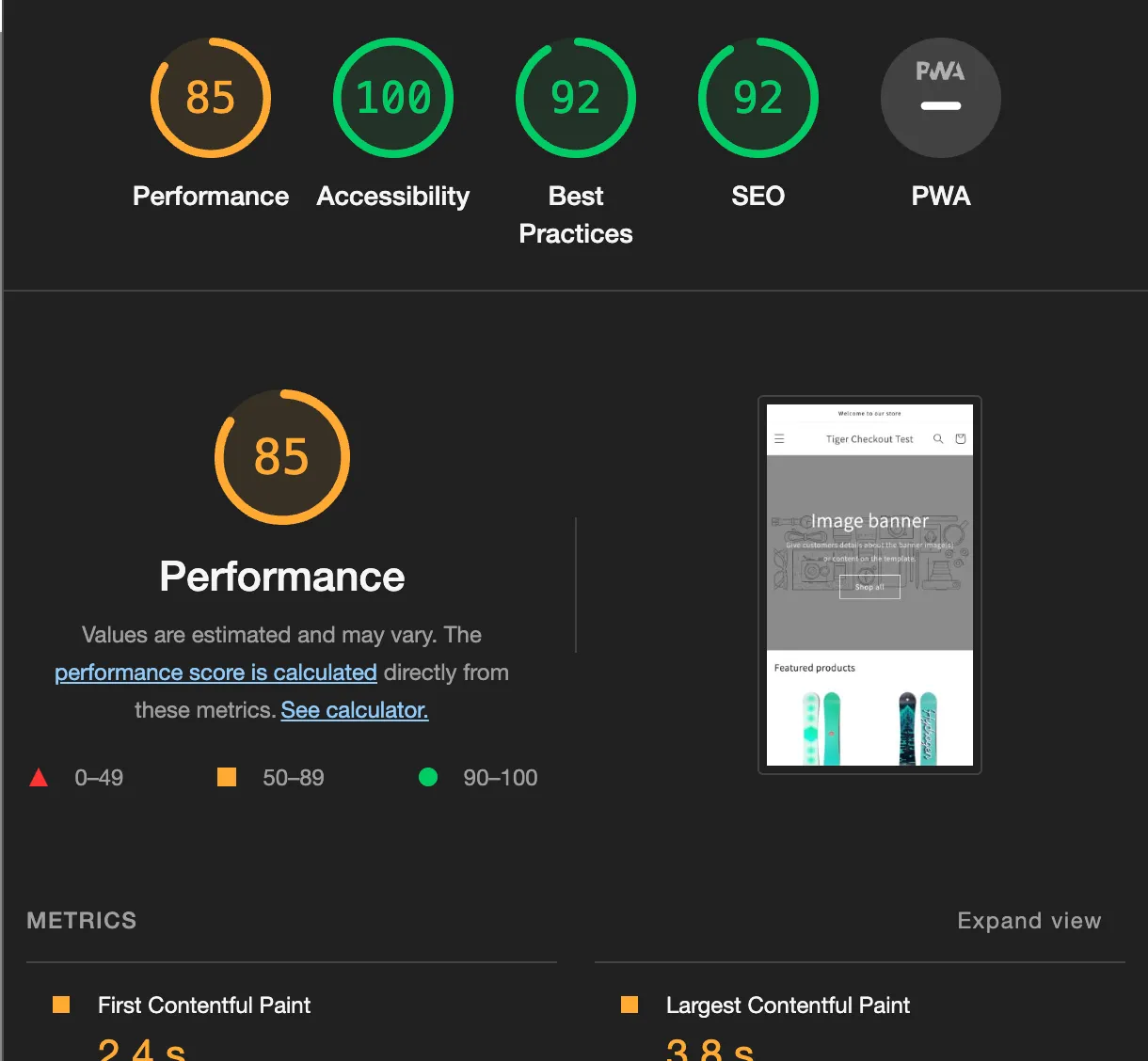
Starting Score = (85 + 62 + 83 + 86 + 88) / 5 = (404 / 5) = 80.8
Performance with our App (Ending Score)
Section titled “Performance with our App (Ending Score)”The average performance of the storefront with our app against our test servers hovered in the high seventies. Peaking once at 89 and bottoming out at 52. Noticeably, our app seems to underperform on first load after a fresh install, and performs much better on subsequent pageloads. Our app also performs significantly better on desktop rather than mobile, likely due to our app taking up relatively more visual space on mobile, tending to hover in the high eighties and low nineties versus the clean desktop performance hovering the mid-nineties. The addition of our app also seemed to eliminate the frequency with which the storefront lighthouse performance would cyclically hit the low sixties, as it would do clean.
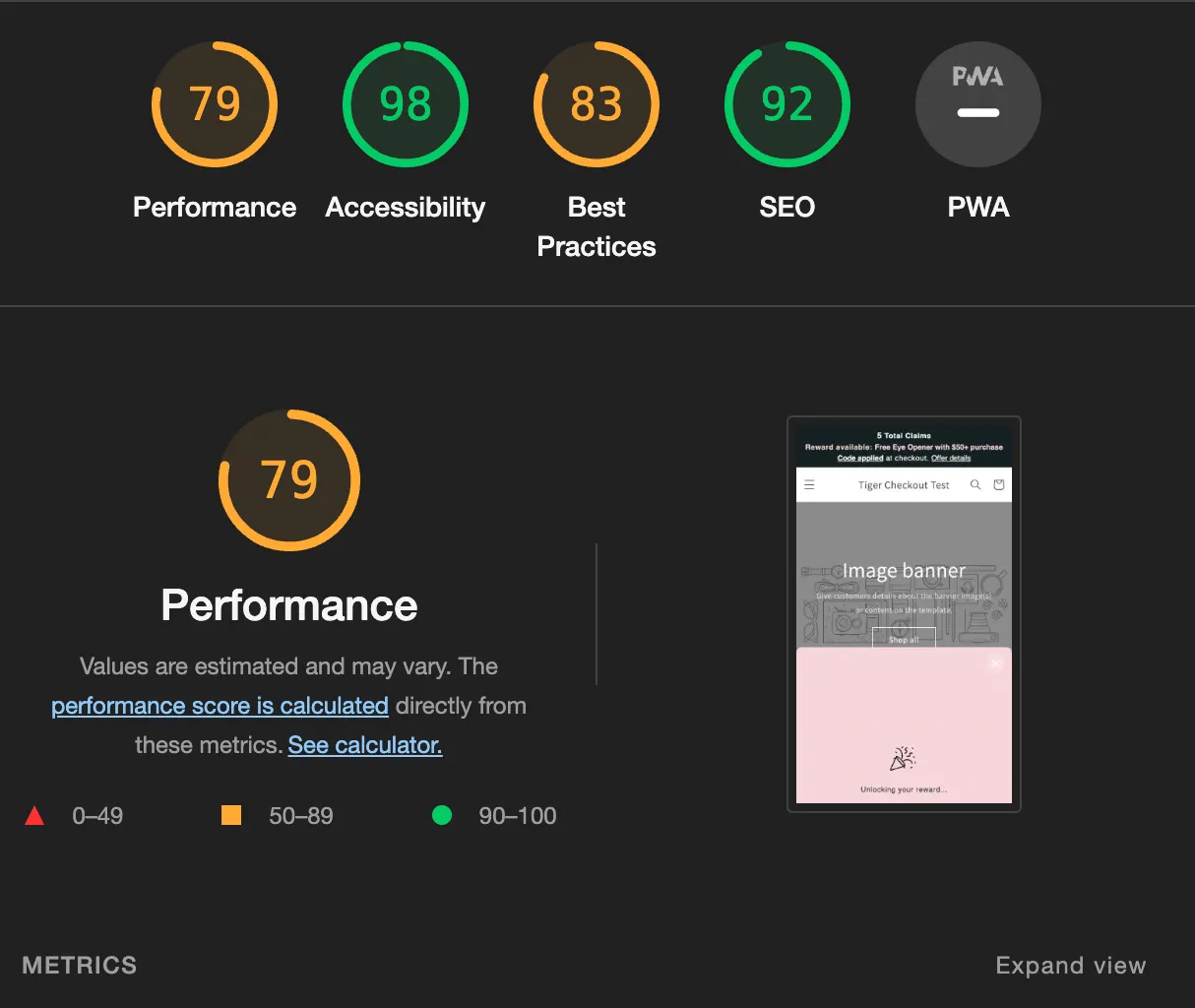
Ending Score = (78 + 79 + 63 + 74 + 76) / 5 = (370 / 5) = 74
Storefront App Extension Performance Ratio
Section titled “Storefront App Extension Performance Ratio”Performance ratio = (Starting Score / Ending Score) = 74 / 80.8 = 0.915
Furthermore, on average, our app does stay within a 10 point reduction of the lighthouse performance score. That being said, there are definitely improvments to be made here. To begin with, testing against our test API is slower than our live API, so there should be performance improvements available there. In addition to that, once client needs become more apparent after launch, there are a lot of variations with how we can store information within shopify to create more elegant loading states for banners that appear immediately, which should drastically improve performance.
Checkout Extension Performance
Section titled “Checkout Extension Performance”The lighthouse on mobile for a clean checkout throws an error: The page did not load any content. Please ensure you keep the browser window in the foreground during the load and try again. So we will be using the desktop for this. All in all, using the eye test and with the knowledge of how lighthouse performance check works, the checkout extension should fare much better –– the loading should be virtually instantaneous since the presence of the intial state is determined not by a fetch but by cart attributes.
Performance on a Clean Checkout (Starting Score)
Section titled “Performance on a Clean Checkout (Starting Score)”The performance of a clean checkout stayed between low eighties and high seventies with no real outliers.
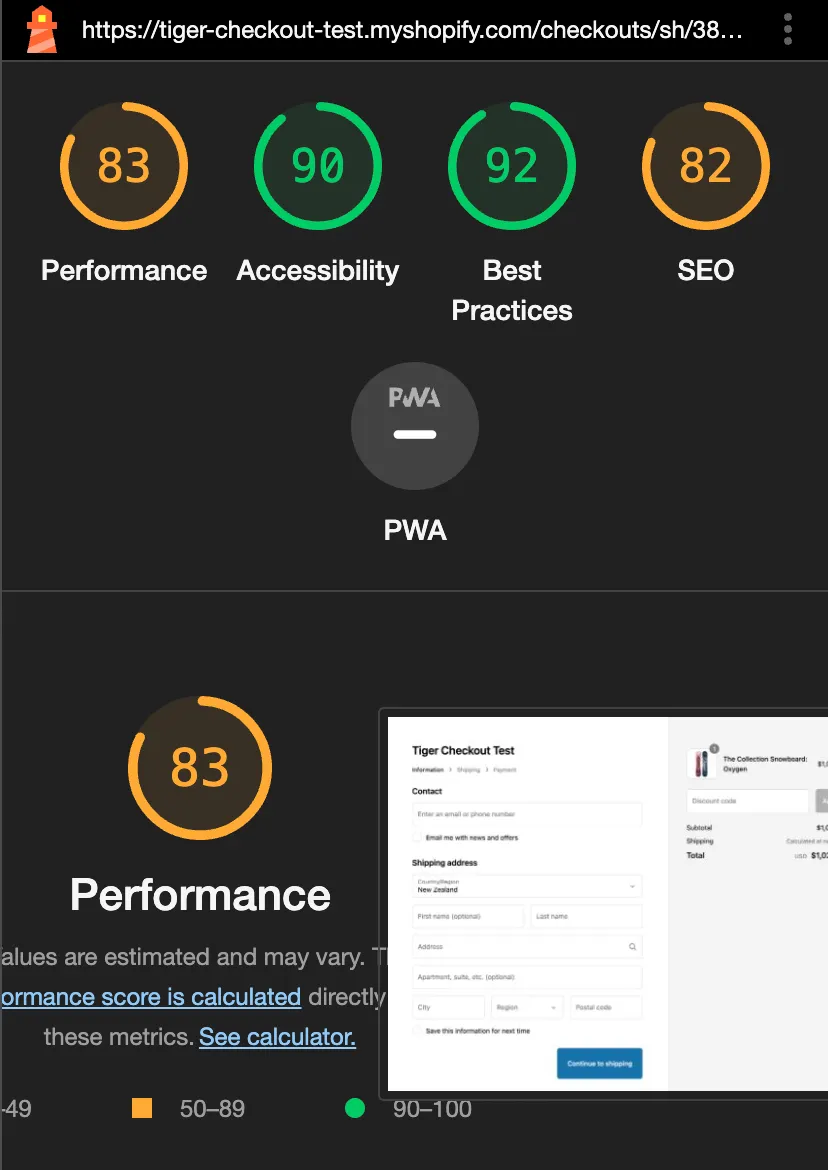
Starting Score = (82 + 78 + 74 + 83 + 80) / 5 = (397 / 5) = 79.4
Performance with the Checkout Extension (Ending Score)
Section titled “Performance with the Checkout Extension (Ending Score)”As per expectations, our checkout extension performs very well in lighthouse performance analysis. It is not 100% clear as to why the score is elevated to above that of a clean page, but regardless of that, the score is well within acceptable ranges and effectively does not reduce lighthouse performance at all. There were no real outliers during numerous reloads –– the checkout extension is very consistent.
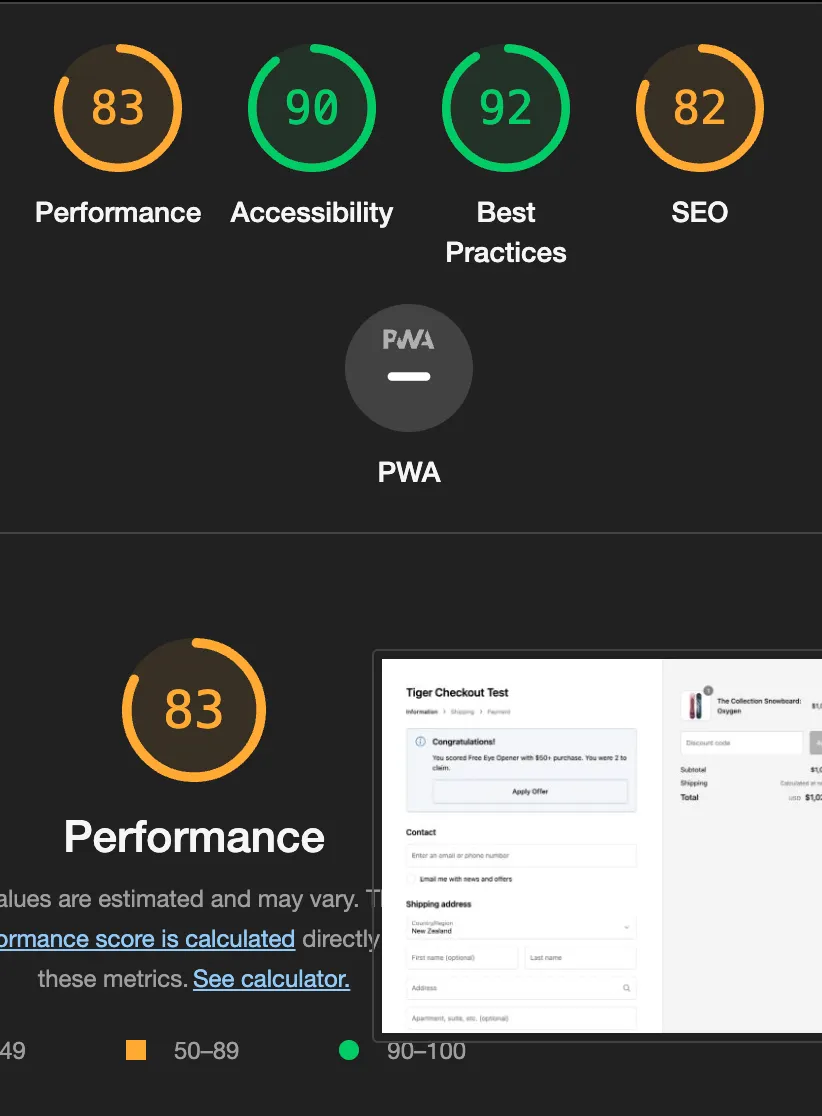
Ending Score = (82 + 83 + 83 + 79 + 81) / 5 = (408 / 5) = 80.6
Storefront Checkout Extension Performance Ratio
Section titled “Storefront Checkout Extension Performance Ratio”Performance ratio = (Starting Score / Ending Score) = 80.6 / 79.4 = 1.015