Getting Started
The steps to add Quikly to your shopify store can vary depending on if you are on Shopify Plus or use a headless commerce set up. The basic steps are:
- Create your Quikly account. Your client success rep will provide you with your login information.
- Install the Quikly App into your shopify store.
- Turn on the plugin in the theme editor, or for a headless setup, install the script tag.
- If you use the legacy checkout.liquid checkout process, install the checkout extension snippet in your theme.
App Installation
Section titled “App Installation”- Install the Quikly: Urgency Marketing for Shopify App on your Shopify store.
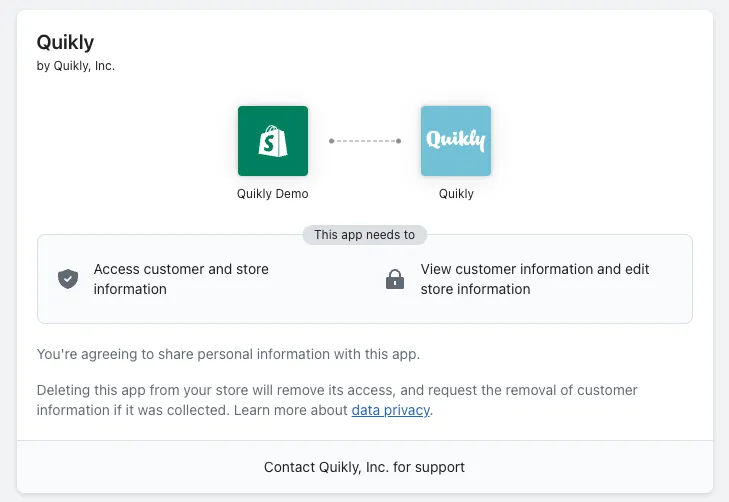
- Follow the onboarding steps to enable the theme extension.
Theme Extensions
Section titled “Theme Extensions”App Embed Block
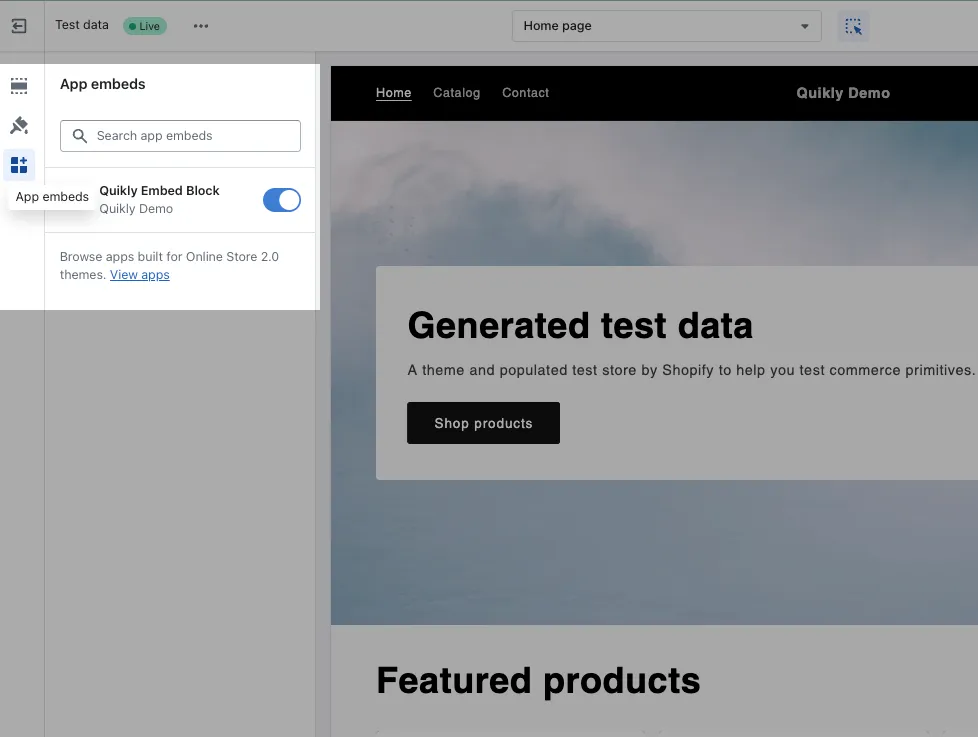
Section titled “App Embed Block”If you use a shopify theme, you can use the Shopify theme editor to enable the Quikly components in your theme.
First let’s use the theme editor to add the Quikly App Embed block to your theme. Click to Sales channels > Online Store > Themes, then on “Customize”. Click on the App embeds icon, then turn on the “Quikly Embed Block”. This will allow any current Quikly promotion to appear seamlessly on your site.
Checkout Extension (Shopify Plus)
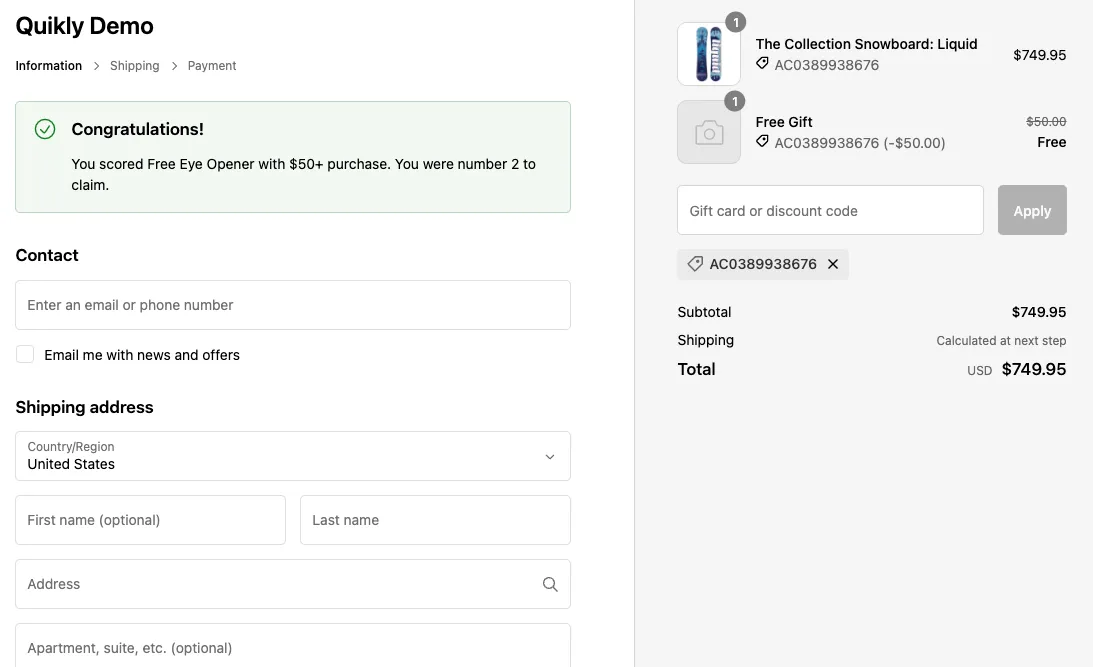
Section titled “Checkout Extension (Shopify Plus)”The Quikly Checkout Extension displays Quikly promotions during checkout (for example, a banner confirming a claimed discount is applied to the cart). It is separate from the App Embed Block above — the embed block powers Quikly across your storefront, while the checkout extension specifically adds Quikly to the checkout page. Shopify Plus is required to add checkout extensions.
To install the Checkout Extension:
- Access checkout settings: From your Shopify Admin, go to Settings > Checkout.
- Open the editor: Scroll to the Configuration section and click Customize (or Customize checkout).
- Add the app block: In the checkout editor, click Add app (or Add block) in the left-hand sidebar.
- Select the extension: Find Quikly in the list and enable the Quikly Checkout Extension.
- Position and save: Drag the block to place it where you want it in the checkout layout, then click Save.
You’re done! Quikly will work with you to configure your campaigns and provide activation links to trigger these promotions on demand.
Headless Commerce
Section titled “Headless Commerce”If you have a custom storefront that does not use a shopify theme, you can grab the script tag here.
Example
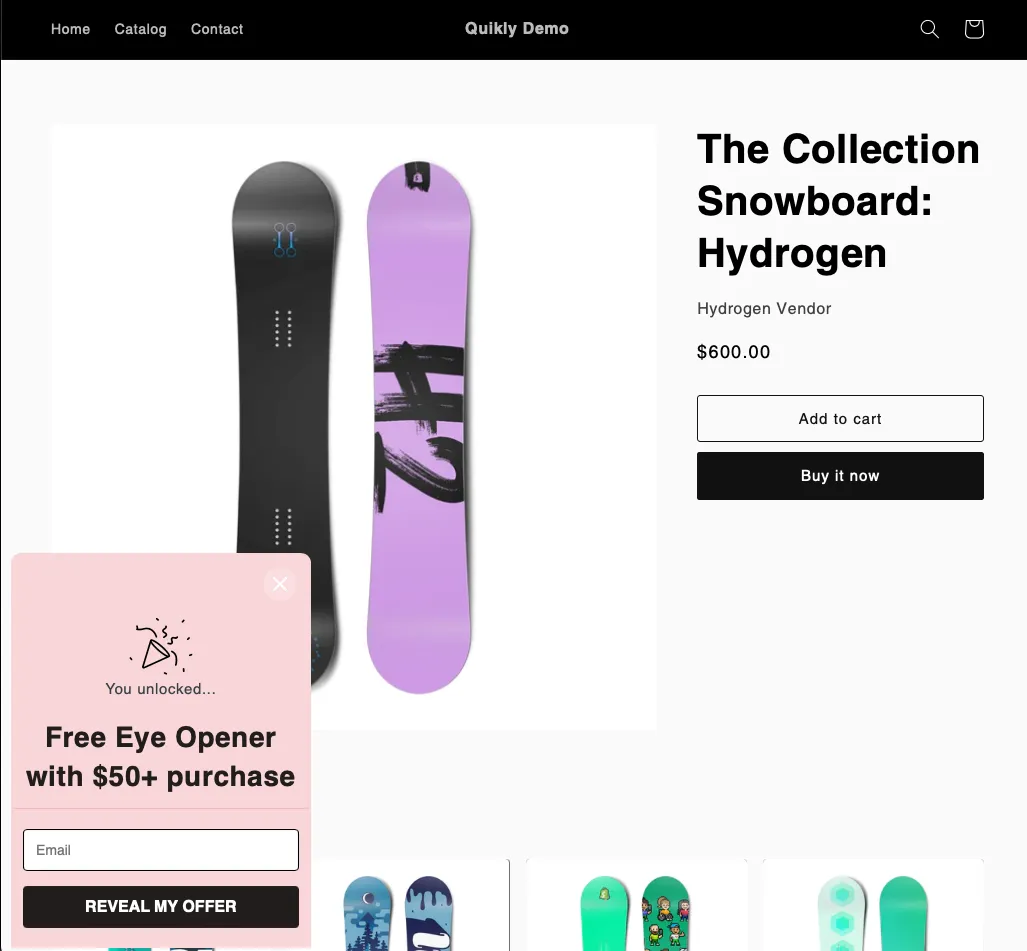
Section titled “Example”Here is an example campaign that is configured with a limited quantity discount, providing a unique discount to the first 25 customers that enter their email address.
During checkout, those fast enough to claim a discount code will see an information banner to indicate if the promotion is currently applied to their cart.